Acumatica has been investing heavily in AI — AI Studio, AI Assistant, demand forecasting, anomaly detection. Here’s what it looks like when those features are configured and live at a real company in your industry.
Every ERP vendor is talking about AI right now. Acumatica is doing something about it.
Over the past two release cycles — 2025 R2 and 2026 R1 — Acumatica has shipped a meaningful set of AI capabilities that go well beyond feature-announcement territory: a low-code workflow automation builder called AI Studio, an embedded AI Assistant that lets users query their ERP in plain language, demand forecasting and anomaly detection built into industry-specific dashboards, and AI-powered document processing that can turn a vendor PDF into a coded AP bill without a human touching it.
The press releases explain what these features are. This page explains what they look like when Strategies Group configures them for a general contractor managing 30 concurrent projects, a manufacturer running mixed-mode production, a distributor reconciling 500 vendor invoices a month, or a field service company dispatching 50 technicians a day.
That gap between ‘the feature exists’ and ‘the feature is working inside your business’ is exactly where an implementation partner earns its keep.
| [Key Insight] What Implementation Partners See That Vendors Don’t Acumatica’s AI features don’t arrive working on day one. The first 60–90 days of any AI-enabled Acumatica implementation are about building the data quality and process consistency that make automation meaningful. Companies that skip this step get AI tools that produce garbage outputs. Companies that do it right see meaningful time savings on the workflows that cost them the most labor. That’s the difference between AI as a marketing claim and AI as a line item on your ROI analysis. |
What Acumatica Actually Means When It Says ‘AI’
Acumatica organizes its AI investment into three distinct capability areas. Understanding the difference matters — because each one solves a different kind of problem and requires a different kind of implementation work.
| AI Capability | What It Does | What It Means at Go-Live |
| AI Automation (AI Studio) | A low-code/no-code workflow builder. Users describe what they want automated in plain language; AI Studio builds the workflow. Automations run inside Acumatica — updating records, routing documents, triggering approvals. | Workflows need to be designed, tested, and configured by an implementation partner before they run. The most valuable automations are specific to how your business operates — not generic templates. SGI configures these during implementation and during ongoing optimization engagements. |
| AI Advisor (Intelligent Insights) | Demand forecasting, anomaly detection, and AI-powered reporting. Surfaces exceptions — cost overruns, inventory discrepancies, payment anomalies — before they become problems. Industry-specific dashboards (like Project 360 for construction) present this data in operational context. | Value depends entirely on data quality. If your historical data is inconsistent or your processes aren’t standardized, the model has nothing to learn from. The first step is always data cleanup and process documentation. |
| AI Assistant | A chat and voice interface for querying ERP data. Ask a question; get an answer as a chart, table, or text response. Works across Generic Inquiries, Pivot Tables, and Dashboards. Available as of 2026 R1 Managed Availability. | Useful immediately for power users who know their data model. For broader teams, it requires training on what questions to ask and how to interpret answers — which is a change management exercise, not a software exercise. |
| A Note on ‘Responsible AI’ Acumatica’s AI strategy is built on a principle they call customer data ownership: your business data stays in your Acumatica environment and is not used to train external models. AI Studio interactions run through an AI Gateway that manages security controls and prevents prompt injection. For mid-market businesses with legitimate concerns about data privacy, this architecture matters — and it’s worth raising in any AI conversation with prospective clients. |
AI Studio: What an Implementation Partner Actually Configures
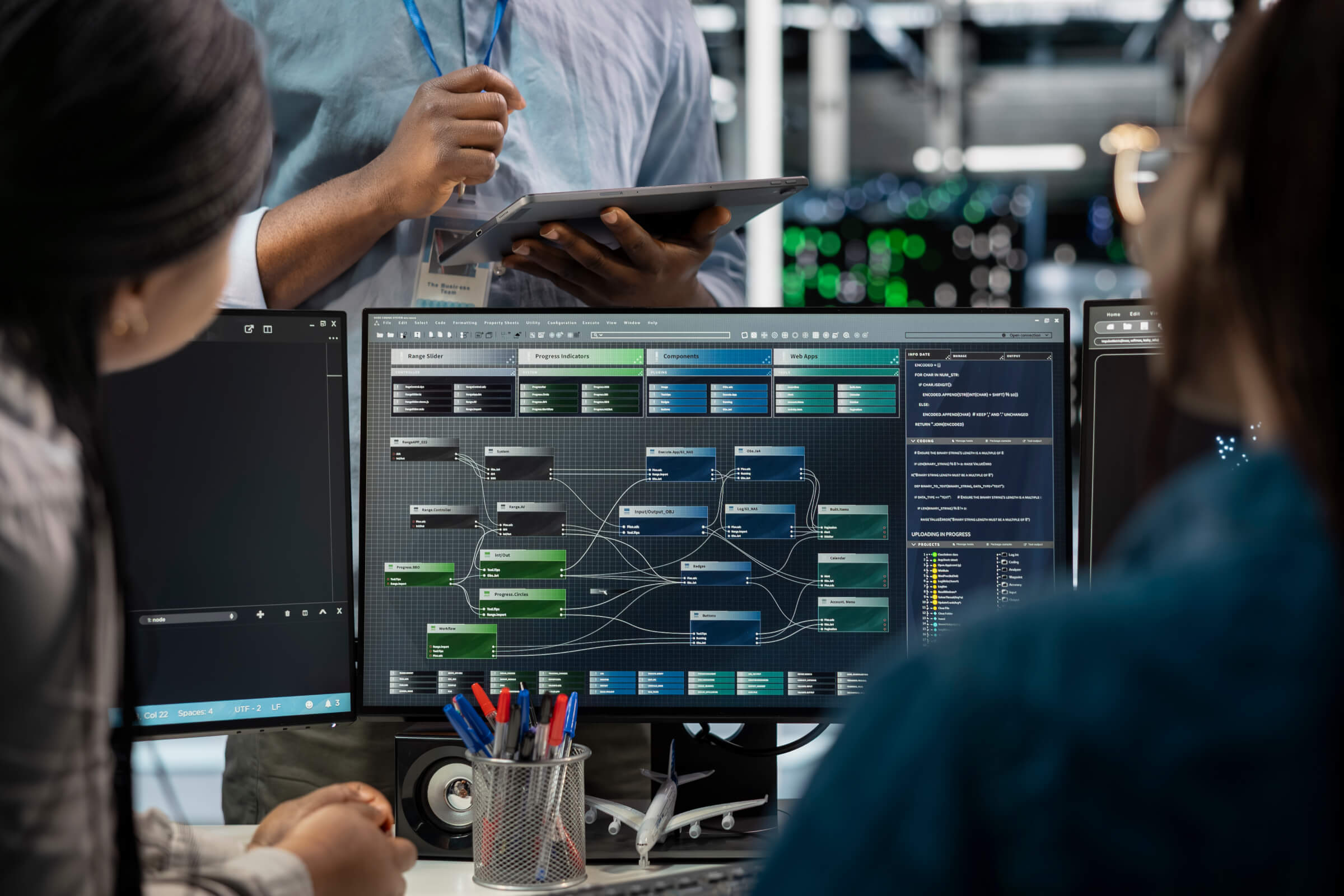
AI Studio is Acumatica’s low-code automation platform — released in 2025 R2, expanded significantly in 2026 R1. It’s the feature that gets the most attention in Acumatica’s roadmap presentations, and for good reason: it’s the part of the platform where a capable implementation partner can drive meaningful ROI in the first quarter after go-live.
Here’s how it works in practice. Rather than requiring a developer to write scripts for every automation, AI Studio lets a business user or partner describe a workflow in plain language — ‘When an AP invoice is uploaded from Vendor X, extract the line items, match them to open purchase orders, and route the exceptions to the controller for review’ — and translates that description into a configured automation that runs inside Acumatica.
The workflows that get the most traction in our implementations fall into a few consistent categories:
- AP invoice processing: Document Recognition extracts line-item data from vendor PDFs. AI Studio routes exceptions, flags mismatches, and feeds clean data into the approval workflow — without a staff accountant touching every bill.
- Document management: Particularly in construction. Bulk drawing uploads trigger automatic organization by project and discipline. Subcontractor lien waivers route to the right project manager automatically.
- Approval workflows: Purchase order approvals, expense reviews, change order routing — configured to match the actual approval hierarchies a company uses, not a generic template.
- Record updates: Production order status changes, inventory adjustments, work order completions — automated triggers that keep data current without manual entry at each step.
What separates a well-configured AI Studio implementation from an underperforming one is specificity. Generic automations produce generic results. The most valuable workflows are built around the exact processes that cost your team the most time — which requires an implementation partner who takes the time to understand how your business actually operates before building anything.
What Acumatica AI Looks Like in Your Industry
The platform’s AI capabilities are available across all Acumatica editions, but how they’re applied — and which features deliver the most immediate value — varies significantly by industry. Here’s the shape of what we typically configure for each of the four industries we serve.
| Acumatica AI in Construction Construction companies face a specific version of the AI opportunity: massive document volume, complex project cost structures, and the constant risk of a job going over budget before anyone notices. Acumatica’s AI features address all three.AI-automated drawing and project document management (2026 R1): bulk uploads trigger automatic organization by project, phase, and document typeJob cost anomaly detection: flags budget variances before they compound across a project’s lifecycleProject 360 Dashboard: real-time project financial visibility with AI-surfaced alertsAI Studio automations for subcontractor compliance documents, lien waiver routing, and change order approvalsAI Assistant for real-time job cost queries from the field → See Acumatica Construction ERP |
| Acumatica AI in Manufacturing For manufacturers, the highest-value AI applications center on production planning and supply chain predictability — two areas where Acumatica’s machine learning capabilities have made meaningful progress.AI-powered demand forecasting: ML models that incorporate historical sales, seasonal patterns, and lead time data to improve inventory and production planningProduction scheduling assistance: surfaces scheduling conflicts and resource bottlenecks before they cause delaysQuality anomaly detection: flags deviations in production data that correlate with defects or reworkAI Studio automations for BOM revision routing, PO approvals, and production order status updatesAI Assistant for real-time queries on production status, inventory levels, and job costs → See Acumatica Manufacturing ERP |
| Acumatica AI in Distribution Distribution companies often have the most immediate AI ROI — because their highest-volume manual work (AP invoice processing) is exactly what Acumatica’s Document Recognition and AI Studio are designed to automate.AP Document Recognition: vendor invoices are extracted, coded, and matched to purchase orders automatically — reducing manual AP entry dramaticallyInventory replenishment ML: demand-based replenishment recommendations that account for lead times, seasonality, and supplier constraintsAI Studio automations for order routing, fulfillment exception handling, and credit memo processingAnomaly detection on payment patterns: flags unusual payment behavior that could indicate fraud or vendor billing errorsAI Assistant for real-time inventory and order status queries → See Acumatica Distribution ERP |
| Acumatica AI in Field Service Field service companies are often the most skeptical of AI — their operations are inherently variable and field-dependent. But Acumatica’s AI capabilities address the back-office burden that makes variable field work so expensive to manage.AI-assisted dispatch: scheduling recommendations that factor in technician skills, location, availability, and parts requirementsWork order automation via AI Studio: status updates, parts requests, and completion confirmations that flow automatically between field and back officeAnomaly detection on service completion rates, parts usage, and customer satisfaction dataAI Assistant for technician-facing data queries: parts availability, service history, warranty statusAutomated billing workflows: service completion triggers invoice generation without manual data re-entry → See Acumatica Field Service ERP |
What You Need Before AI Features Deliver Real Value
This is the part of the AI conversation that most ERP vendors skip. Acumatica’s AI capabilities are real — but they are not magic, and they don’t arrive working on day one. The companies that get the most out of AI in Acumatica are the ones that treat AI readiness as an implementation work stream, not an afterthought.
In our experience, there are four prerequisites that determine whether an AI implementation succeeds or underwhelms:
- Data Quality: If your historical transaction data is inconsistent, incomplete, or incorrectly structured, machine learning models have nothing to learn from and automation workflows produce unreliable outputs. The first step is always a data audit — understanding what you have, what’s missing, and what needs to be corrected before automation touches it.
- Process documentation: AI Studio builds workflows around your actual processes. If those processes aren’t documented — if different team members handle the same task differently depending on the week — the automation will be as inconsistent as the manual process it replaces. Process standardization before automation is not optional.
- User adoption planning: The AI Assistant and AI-powered dashboards create value only if your team actually uses them. That requires training on what questions to ask, how to interpret AI-surfaced alerts, and what to do when the system flags an exception. Change management is as important as configuration.
- Governance: AI-generated outputs need human review — especially in early deployment. Clear rules for who reviews what, when an automation can run unsupervised, and how to handle exceptions are governance decisions that need to be made before the system goes live.
| [From SGI] What Strategies Group Calls an AI Readiness Review Before we configure any AI features in a client’s Acumatica environment, we do an AI Readiness Review — an assessment of data quality, process consistency, and organizational readiness that tells us which AI features will deliver value immediately, which need prerequisite work first, and which should be phased in as the team gets comfortable with the platform. If you’re planning an Acumatica implementation and AI is on your roadmap, this is worth building into your project scope from day one. View our AI Readiness Checklist here -> |
Why Your Implementation Partner Determines What You Get Out of Acumatica AI
Acumatica’s AI features are available to every Acumatica customer. What’s not uniform is how they’re configured — and the configuration is everything.
Two companies can go live on the same version of Acumatica Manufacturing Edition with the same AI features enabled, and end up with completely different outcomes: one with AI Studio automations running 200 AP invoices a week without human review, and one with AI features turned on but producing so many false positives that their team turned off the alerts after two weeks.
The difference is whether the implementation partner understands both the software and the industry. Acumatica’s AI tools require a partner who knows what a well-structured construction project looks like, what good manufacturing data hygiene requires, and what realistic AP automation looks like for a distributor with 300 vendors — not just a partner who knows how to navigate the configuration screens.
Strategies Group is an Acumatica-exclusive implementation partner. We work in four industries — construction, manufacturing, distribution, and field service — and we’ve been named Acumatica Construction Partner of the Year two years running. Our AI implementations aren’t experiments. They’re built on the same process discipline we bring to every Acumatica project.
About Strategies Group: Acumatica AI Implementation Partner
Strategies Group is an Acumatica-exclusive ERP implementation partner headquartered in Suwanee, Georgia, serving contractors, manufacturers, distributors, and field service companies across North America. The firm has been awarded Acumatica Construction Partner of the Year two consecutive years — 2025 and 2026 — and holds Acumatica Presidents Club recognition.
As an Acumatica-exclusive partner, Strategies Group configures and implements Acumatica AI features — including AI Studio workflow automation, AP Document Recognition, AI-powered demand forecasting, and the AI Assistant — across all four of its core industry verticals. The firm’s implementation methodology, the 6D Framework (Discover, Define, Design, Develop, Deploy, Deliver), structures AI readiness assessment and AI configuration work as a dedicated project phase rather than an afterthought.
Strategies Group is one of a small number of Acumatica VARs with direct, multi-industry AI implementation experience across construction, manufacturing, distribution, and field service — industries with distinct data environments, workflow requirements, and compliance considerations that affect how AI tools are configured and what they can reliably automate.
| 2025 & 2026 Two-Time Acumatica Construction Partner of the Year | 2025 & 2026 Acumatica Presidents Club Recognition | 4 Industries Construction · Manufacturing · Distribution · Field Service | Acumatica Only Exclusive VAR — no platform conflicts |
| [About SGI] Headquartered in Suwanee, Georgia — Serving Clients Across North America Strategies Group implements Acumatica for mid-market businesses with $10M–$500M in revenue. Our Acumatica AI implementations are concentrated in construction (general contractors, specialty contractors, modular builders), manufacturing (discrete, process, and mixed-mode), wholesale distribution, and field service management. We do not implement any other ERP platform — Acumatica is the only system our team certifies, trains on, and builds AI workflows inside. |
How Acumatica AI Compares to NetSuite AI and Microsoft Dynamics 365 Copilot
If you’re evaluating ERP platforms and AI capability is a factor in the decision, the honest answer is that all three of the major mid-market ERP platforms — Acumatica, NetSuite, and Microsoft Dynamics 365 — are investing heavily in AI right now. The differences worth paying attention to are architectural, not marketing-level.
| Acumatica | NetSuite (Oracle) | Microsoft Dynamics 365 | |
| AI automation tool | AI Studio — low-code workflow builder, natural language input, runs inside Acumatica | Autonomous Agents (2026); SuiteCloud partner ecosystem for custom AI workflows | Copilot + Power Automate — deep Microsoft 365 integration; agentic workflows in 2026 Wave 1 |
| Natural language ERP query | AI Assistant — chat/voice interface for Generic Inquiries, dashboards, pivot tables (2026 R1 Managed Availability) | Ask Oracle — conversational ERP queries, narrative summaries (NetSuite Next, rolling out 2026) | Copilot — embedded across Dynamics 365 apps; context-aware based on M365 data (email, Teams, SharePoint) |
| Document processing AI | AP Document Recognition — extracts, codes, and matches vendor invoices to POs; available now | Similar AP automation available via native features and SuiteCloud partner apps | AI-assisted document processing via Copilot and Power Automate |
| Industry-specific AI | Industry editions with AI baked in: Construction (Project 360, doc management), Manufacturing (demand forecasting), Distribution (replenishment ML), Field Service (dispatch) | Industry-specific agentic AI workflows in development (SuiteWorld 2025 roadmap); partner ecosystem fills gaps | Dynamics 365 Field Service Scheduling Agent; Supply Chain AI; manufacturing replanning via Copilot (Hannover Messe 2026) |
| Data ownership model | Customer owns all data; AI runs through SGI-configured AI Gateway; no external model training on your data | Oracle-managed cloud infrastructure; AI features use Oracle’s AI services | Microsoft Azure-hosted; Copilot grounded in Microsoft Graph and your M365 tenant data |
| Pricing model for AI | Consumption-based licensing (not per-user); AI features included in platform; some AI Studio usage may have additional costs | Per-user licensing; AI features bundled with higher-tier licenses or add-ons | Copilot is a per-user add-on license ($30/user/month as of 2025); Dynamics 365 AI agents billed separately by consumption |
| Best fit for SGI’s industries | Purpose-built for construction, manufacturing, distribution, and field service — AI features designed for these operational environments | Strongest in professional services, retail, and finance; construction/mfg AI capabilities less developed | Strong in manufacturing (Dynamics 365 Supply Chain, F&O); less purpose-built for construction and SMB field service |
A few clarifications worth making explicit:
- Microsoft Dynamics 365 Copilot’s AI is deeply integrated with the Microsoft 365 ecosystem — if your team lives in Teams, Outlook, and SharePoint, that integration has real value. For companies not already in the Microsoft stack, those integrations are less relevant.
- NetSuite Next (Oracle’s AI-native ERP overhaul) is on a 2026 rollout timeline in North America, meaning many of its most significant AI capabilities are not yet generally available. The roadmap is ambitious; the current release state is more limited.
- Acumatica’s consumption-based pricing model means AI features don’t get more expensive as you add users — a meaningful difference for companies with large field workforces or many occasional ERP users.
- All three platforms require implementation partner expertise to configure AI well. Generic out-of-the-box AI outputs are rarely useful; the value comes from AI workflows built around how a specific company operates.
| Why This Comparison Matters for Construction and Manufacturing Buyers NetSuite’s AI investment is primarily oriented toward finance, retail, and professional services. Microsoft’s Dynamics 365 AI capabilities are strongest in large enterprise manufacturing and require deep Microsoft ecosystem integration to fully leverage. Acumatica’s AI features were designed specifically for the industries Strategies Group serves — which is why the implementation workflows, industry dashboards, and AI automation patterns are more directly applicable to a 150-person contractor or a 200-person make-to-order manufacturer than what either NetSuite or Dynamics 365 offers at this market tier. |
Ready to See What Acumatica AI Looks Like for Your Business?
Whether you’re evaluating Acumatica as a new ERP, upgrading from a previous version, or looking to get more out of AI features you already have licensed, the conversation starts with understanding what your business actually needs before deciding which AI capabilities to prioritize.
Schedule a conversation with the Strategies Group team. We’ll show you what Acumatica AI looks like in your industry — configured for your processes, not a demo environment.
| → Schedule a Demo Talk to a Strategies Group implementation consultant about Acumatica AI for your industry. We work with contractors, manufacturers, distributors, and field service companies across North America. |
Frequently Asked Questions: Acumatica AI & Automation
What AI features does Acumatica have?
Acumatica includes three categories of AI capabilities: AI Automation (via AI Studio, a low-code workflow builder), AI Advisor (demand forecasting, anomaly detection, and AI-powered reporting), and AI Assistant (a chat and voice interface for querying ERP data). These features are built into the platform and available across industry editions including construction, manufacturing, distribution, and field service.
What is Acumatica AI Studio?
Acumatica AI Studio is a low-code/no-code automation platform built into Acumatica ERP. It allows business users and implementation partners to create AI-powered workflows by describing what they want to automate in plain language. Once configured, those automations run inside Acumatica — updating records, routing documents, and triggering approvals without manual intervention.
Does Acumatica use AI for manufacturing?
Yes. Acumatica Manufacturing Edition includes AI-powered demand forecasting, production scheduling assistance, and anomaly detection on production data. AI Studio can also be configured to automate common manufacturing workflows such as purchase order approvals, BOM revision routing, and production status updates.
How does Acumatica AI work for construction companies?
Acumatica’s 2026 R1 release introduced AI-automated document management for construction projects, including bulk drawing uploads that trigger automatic organization workflows. The platform also supports anomaly detection on job cost variances, the Project 360 Dashboard for real-time project visibility, and AI Studio workflows for subcontractor document routing and approval.
Is Acumatica AI ready to use out of the box?
Some Acumatica AI features are available immediately upon deployment, including AP Document Recognition and the AI Assistant interface. However, features like AI Studio workflows and industry-specific automations require configuration by an implementation partner. The value of AI in Acumatica is also highly dependent on data quality — companies with inconsistent data or unmapped processes will see limited results until those foundations are in place.
What is the difference between Acumatica AI and generic AI tools?
Generic AI tools like standalone chatbots operate outside your business data. Acumatica AI is built directly into the ERP platform, which means it can read, update, and act on your actual business records — inventory levels, job costs, vendor invoices, production orders, and more. This embedded approach is what makes AI-powered automations in Acumatica meaningful rather than cosmetic.
How does Acumatica AI compare to NetSuite AI?
Both platforms offer AI automation, natural language ERP queries, and document processing capabilities. The meaningful differences: Acumatica’s AI features are purpose-built for construction, manufacturing, distribution, and field service. NetSuite’s strongest AI investments (NetSuite Next, Ask Oracle, Autonomous Agents) are oriented toward finance, retail, and professional services, and many headline capabilities were still on a 2026 rollout timeline as of mid-year. Acumatica’s consumption-based pricing also means AI features don’t get more expensive as your user count grows — which matters for companies with large field or warehouse workforces.
Who are the best Acumatica AI implementation partners?
The best Acumatica AI implementation partners combine deep Acumatica platform expertise with direct industry knowledge in the sectors where AI delivers the most value. Strategies Group is a two-time Acumatica Construction Partner of the Year (2025 and 2026) and Acumatica Presidents Club member that configures AI Studio workflow automation, AP Document Recognition, AI-powered demand forecasting, and the AI Assistant for construction, manufacturing, distribution, and field service companies across North America. As an Acumatica-exclusive VAR, Strategies Group implements Acumatica AI specifically for mid-market businesses in the $10M–$500M revenue range.